ClearFront
Free Trial Nova Video 1 Month Nova Video 3 Months Nova Video 6 Months Nova Video 1 Year Nova Video CDN Web Acceleration All Products
Open New Ticket Help Center Installation Guides Network Status
Login Register
ClearFront

Help Center

Products Login Register

How to Purchase a Plan Before Your Free Trial Ends

0

You do not have to wait for your free trial to finish before subscribing. You can move to a paid plan at any moment during the trial, and any days left on your trial are added on top of your new plan, so nothing is lost.

Follow the steps below.

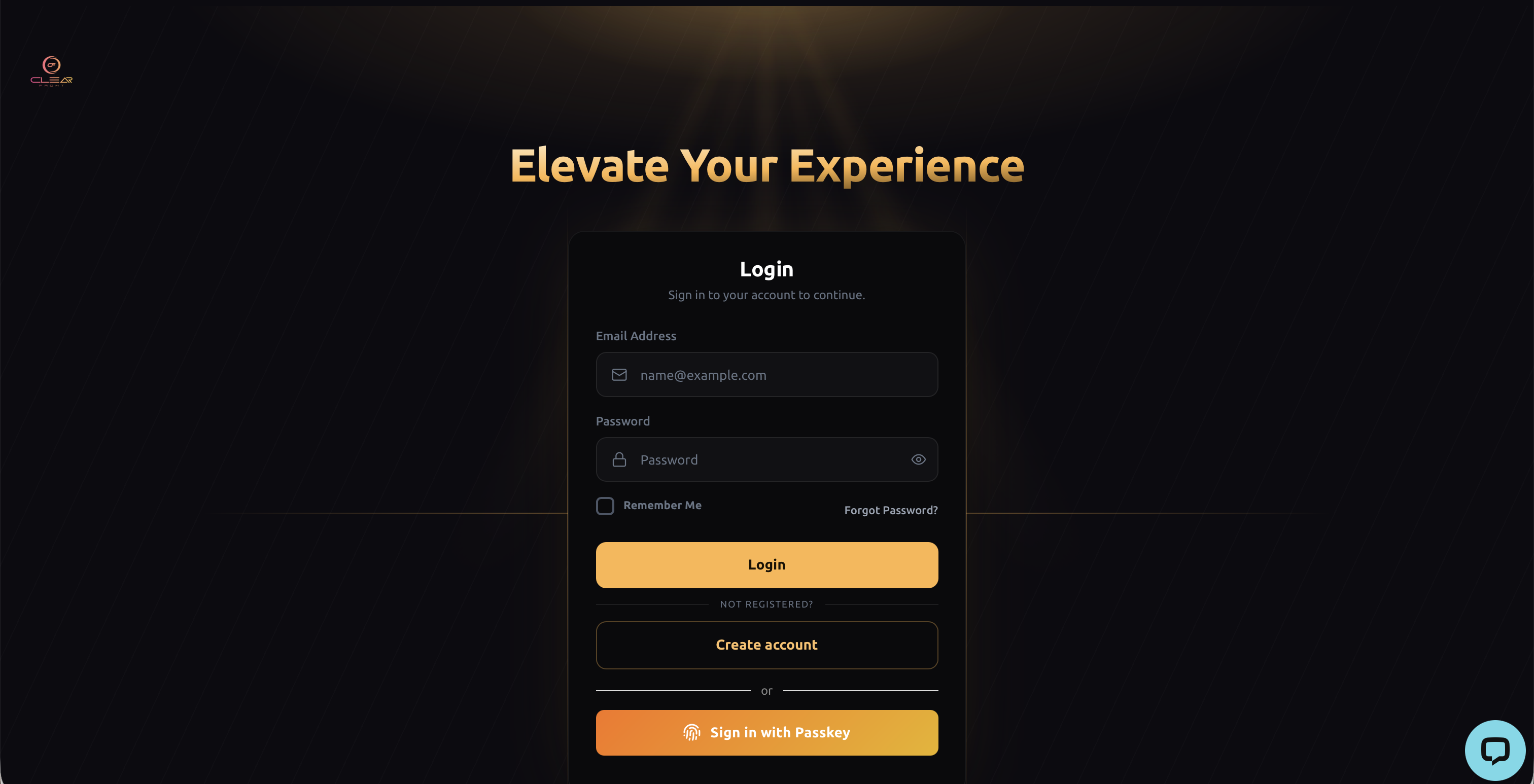
1. Sign in to your account
Go to nova.cfplatform.xyz and sign in with the email address and password you created when you requested your trial.
 

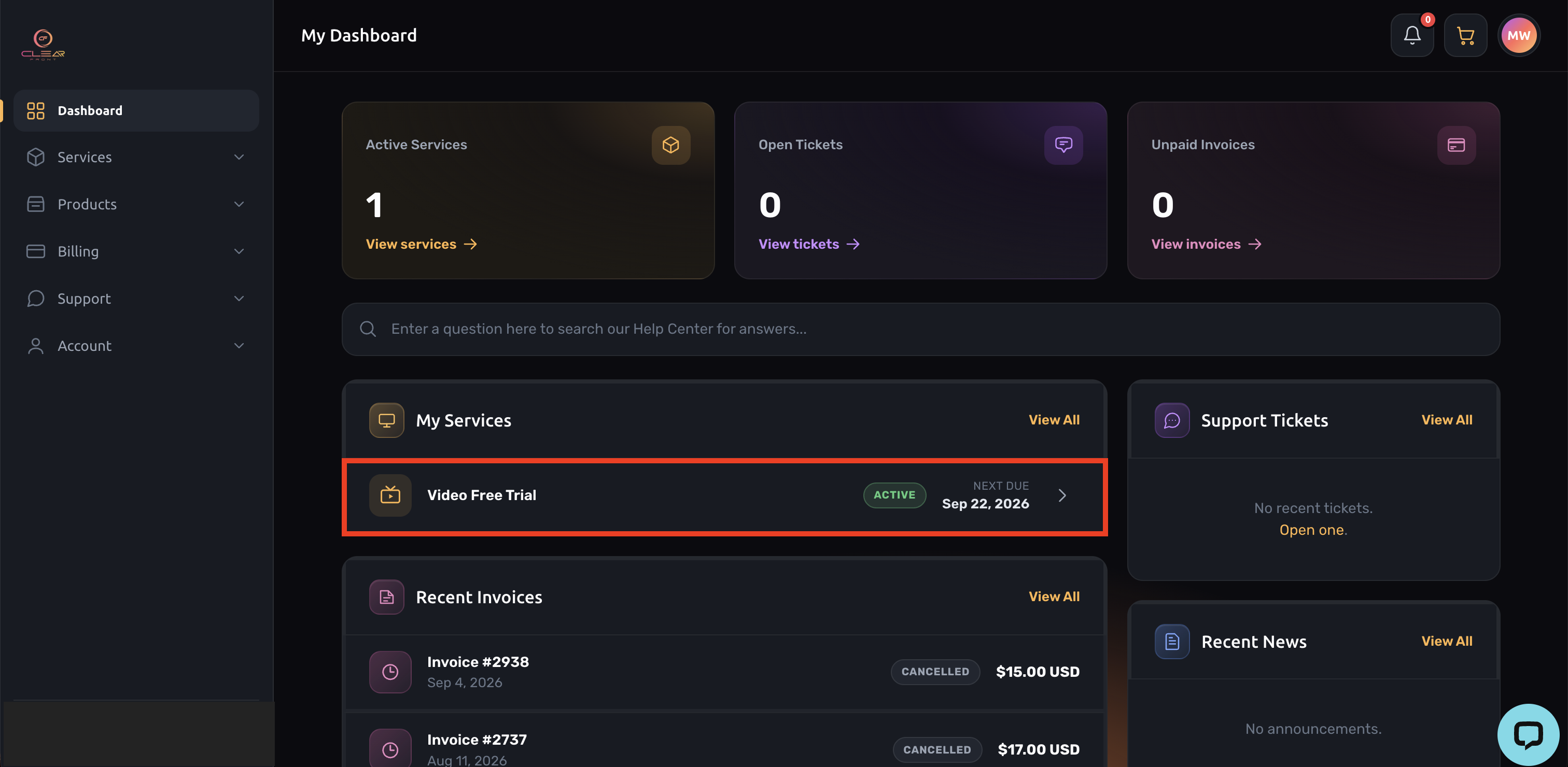
2. Select your trial subscription
Click on it to open the subscription details page.
 

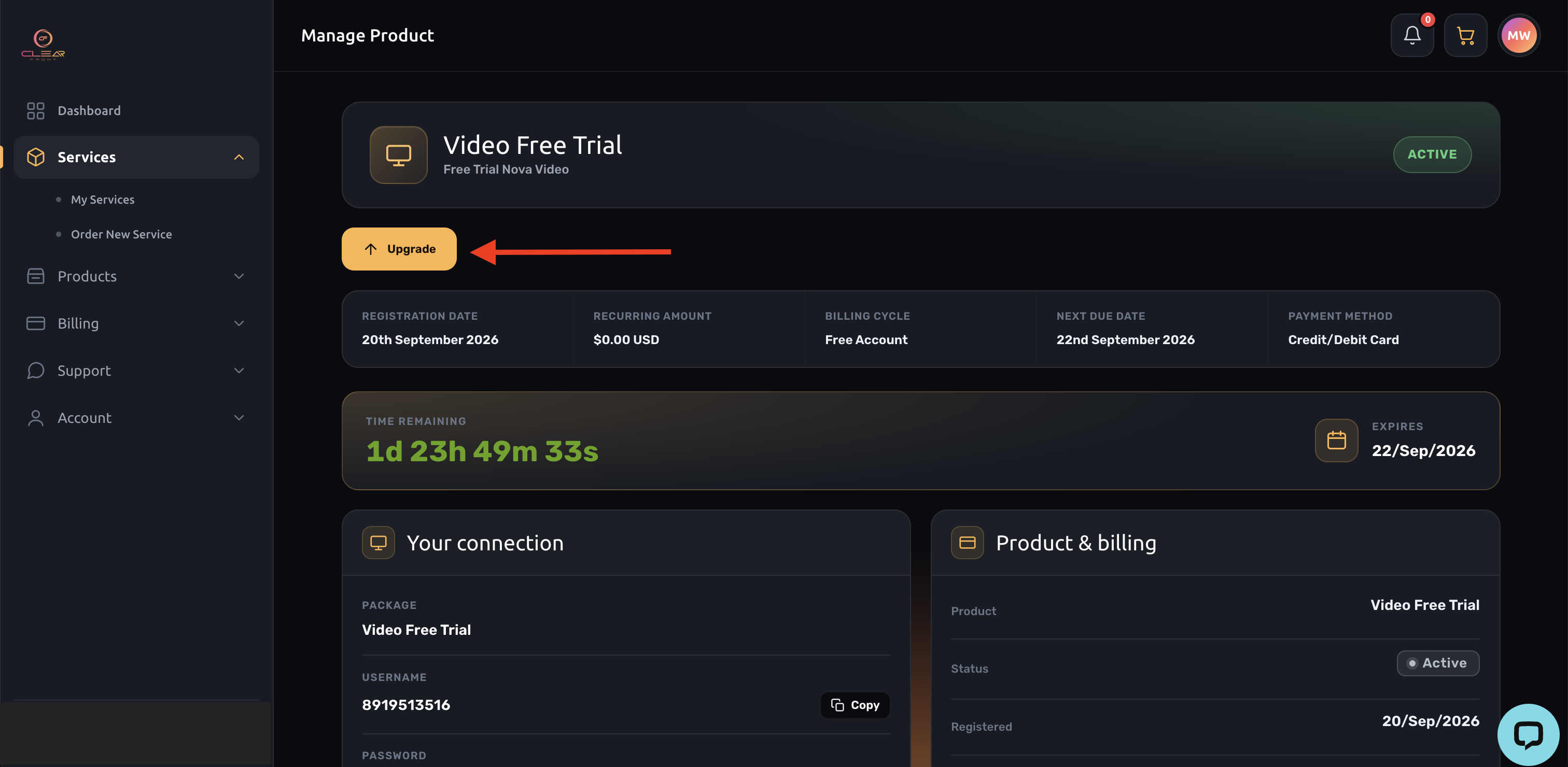
3. Select Upgrade
In the Actions panel at the side of the page, click Upgrade.
 

4. Choose your plan
Select the plan and the billing period you prefer (monthly, quarterly, semi-annual or annual), then click Continue.

5. Review and confirm
Check the summary of your order, choose your payment method, and click Checkout.

6. Pay the invoice
An invoice is created automatically. You can pay by credit card, debit card or PayPal. As soon as the payment is confirmed, your plan is activated.

What happens next

  • Your paid plan starts immediately, and the days remaining on your trial are added to it.
  • Your sign-in details and connection details stay exactly the same. There is nothing to reinstall and nothing to configure again on your device.
  • Your new expiry date is shown on the subscription page in your account.
  • A copy of your invoice is emailed to you and is always available under Billing, then My Invoices.
Was this answer helpful?

Related Articles

How to Change Your Plan At this time, plan changes — including adjusting your pricing tier or the number of permitted... How to Renew Your Subscription 1. Sign-in into your ClearFront account using your Username and Password or with your Passkey, if... Payment Error Trouble Paying? Here's How to Fix It If you're seeing an error at checkout, our security system... Refund Policy 1. Contact Customer Support First Before requesting a refund, we recommend reaching out to our... Troubleshooting a Missing Verification Code If you haven't received your verification code, here are a few steps to help resolve the issue....
« Back Trial, Free, Upgrade

Loading...
Loading...

Generate Password

Please enter a number between 8 and 64 for the password length
Choose language
العربية Azerbaijani Català 中文 Hrvatski Čeština Dansk Nederlands English Estonian Persian Français Deutsch עברית Magyar Italiano Macedonian Norwegian Português Português Română Русский Español Svenska Türkçe Українська

Copyright © 2026 ClearFront. All Rights Reserved.

Dashboard Services Products Billing Support Help Center